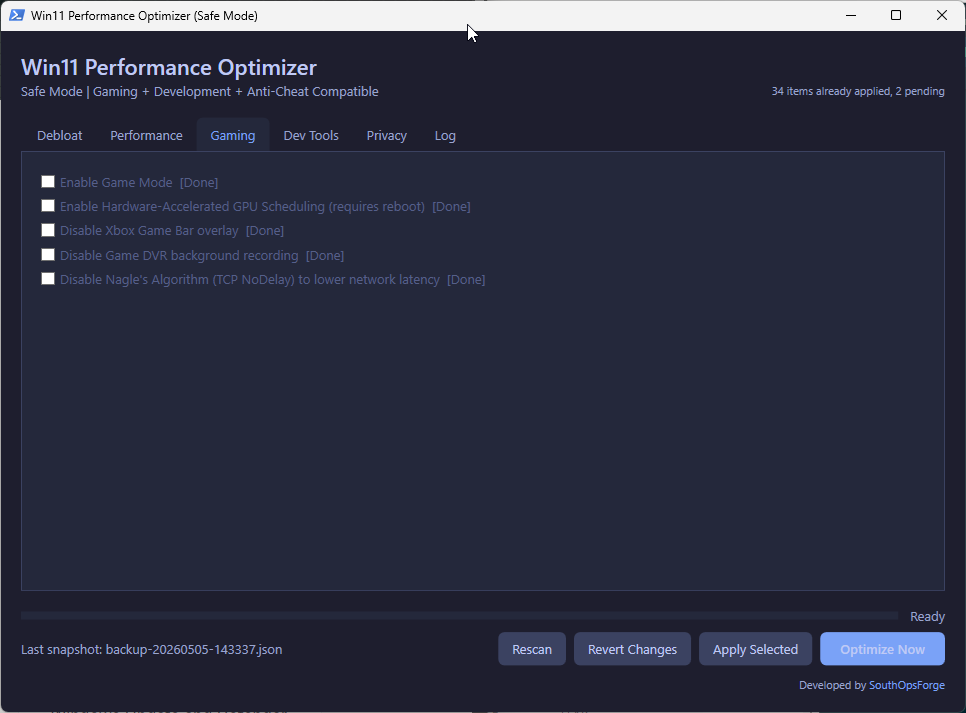
System Overview
See It In Action
Features
Why Win11 Optimizer?
🔒
Zero-Risk Architecture
A full system state snapshot is captured before every change. Recovery is always one click away via the Revert button.
📈
Live System Intelligence
Automated probing detects which optimizations are already active so your system is never over-tuned or redundantly modified.
⚙
Enterprise Stability
Built with PowerShell STA runspaces. Never touches Windows Update, Defender, GPU drivers, or developer toolchains.
What It Does
Complete Optimization Catalog
▲ Performance & System
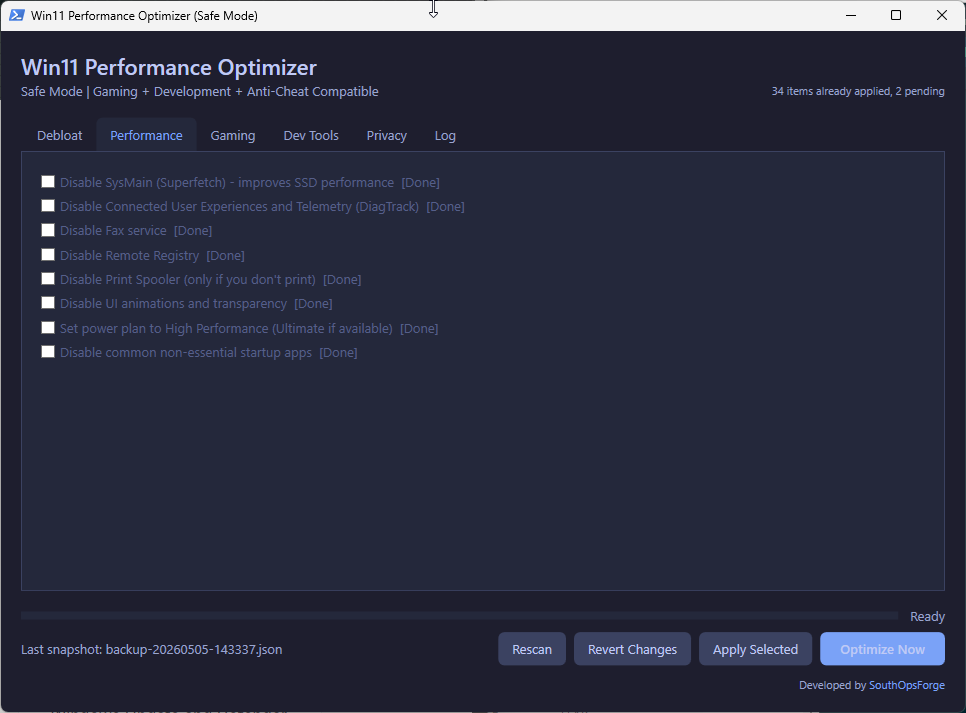
SysMain (Superfetch) — Reduces background disk activity and SSD wear.
DiagTrack — Disables the Connected User Experiences and Telemetry service.
Service Hardening — Optional disablement of Fax, Remote Registry, and Print Spooler.
Visual Effects — Streamlines UI animations and transparency for lower GPU/CPU overhead.
Power Management — Forces High Performance or Ultimate Performance power plans.
Startup Cleanup — Disables common non-essential background startup applications.
▲ Gaming & Latency
Game Mode — Ensures Windows prioritizes your game process for CPU/GPU resources.
HAGS — Hardware-Accelerated GPU Scheduling for reduced input lag and better 1% lows.
Game Bar & DVR — Disables background recording and overlays that cause micro-stutter.
Nagle's Algorithm — Disables TCP packet bundling (TCPNoDelay) to lower network latency in competitive titles.
▲ Privacy & Data
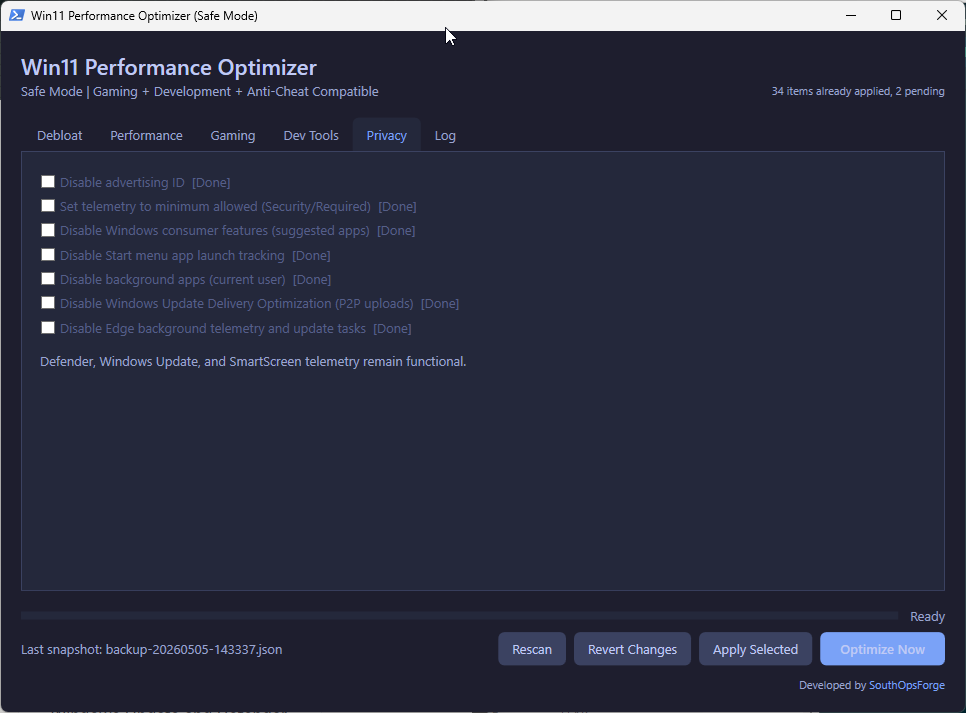
Advertising ID — Prevents apps from using your unique ID for targeted ads.
Telemetry Baseline — Sets OS telemetry to the absolute minimum allowed level (Required).
Consumer Features — Disables suggested apps, silent installs, and system pane suggestions.
Activity Tracking — Disables Start menu app launch tracking and background activity history.
Delivery Optimization — Disables P2P upload of Windows Updates to other users on the internet.
Edge Hardening — Disables background Edge telemetry tasks and update checking when the browser is closed.
▲ Debloat — App Removal
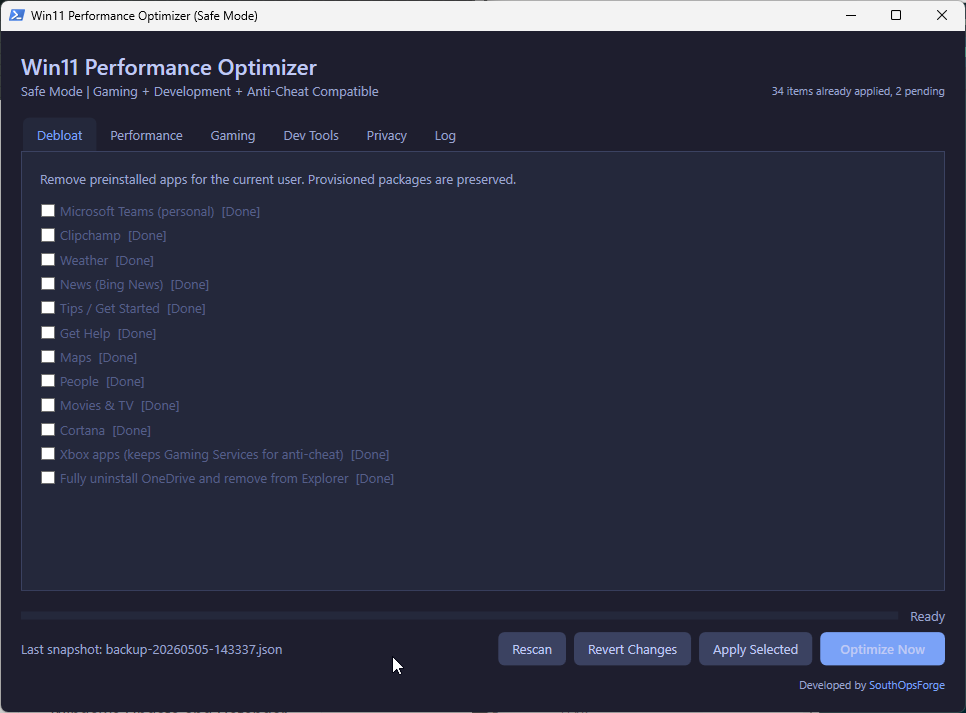
OneDrive — Complete uninstallation of the client and removal from the Explorer sidebar.
Microsoft Teams — Removal of the Personal chat integration and background autostart.
Also removes per-user installs of:
News & Weather
Clipchamp & Tips
Maps & People
Movies & TV
Cortana & Get Help
Xbox App Suite
▲ Developer Tools
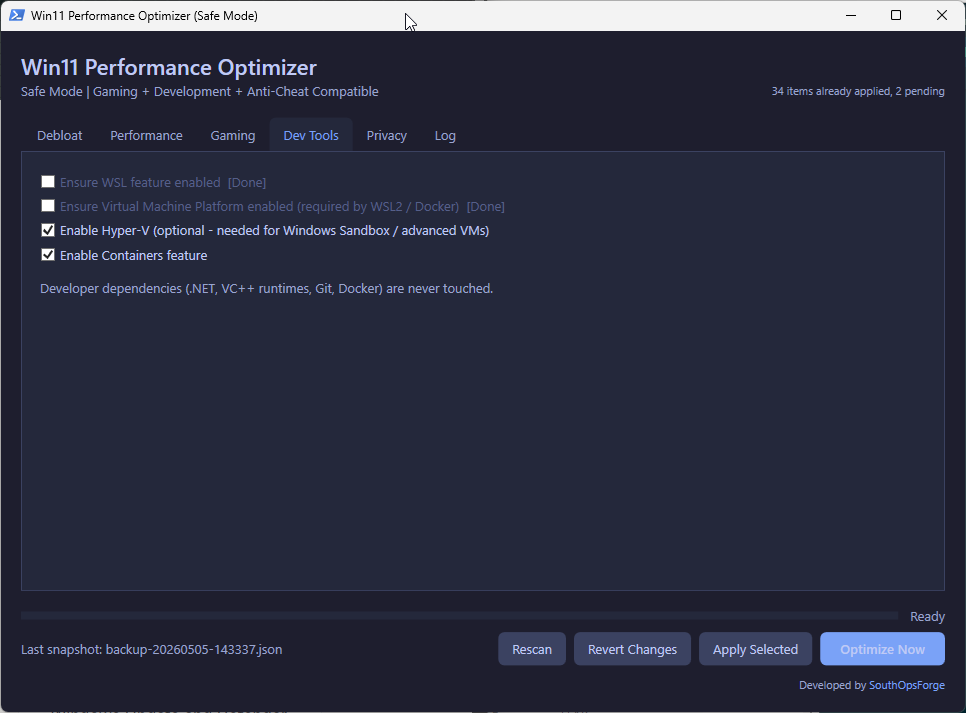
WSL & VMP — One-click enablement of Windows Subsystem for Linux and Virtual Machine Platform.
Hyper-V & Containers — Ensures advanced virtualization and containerization features are active.
🛡 Transparency & Security
Because Win11 Optimizer performs deep system optimizations (registry and service modifications) and is packaged as a portable executable, some antivirus engines may flag it as a false positive.
- Microsoft Defender, BitDefender, and ESET consistently show the tool as clean.
- Flags from smaller engines (ML/PE-A, AI.Detect) are generic AI guesses based on system-level behavior.
- For full peace of mind, audit the
.ps1 source files directly — view on GitHub.
⚠ Legal Disclaimer
Win11 Optimizer is provided "as is". All changes made by this tool are the sole responsibility of the user. SouthOpsForge is not responsible for any damages, data loss, or system issues that may occur as a result of using this software.
Ready to Tune Your System?
Free. No install required. Every change is reversible.